Meta VR Start Developer Competition 2026
MarketScout
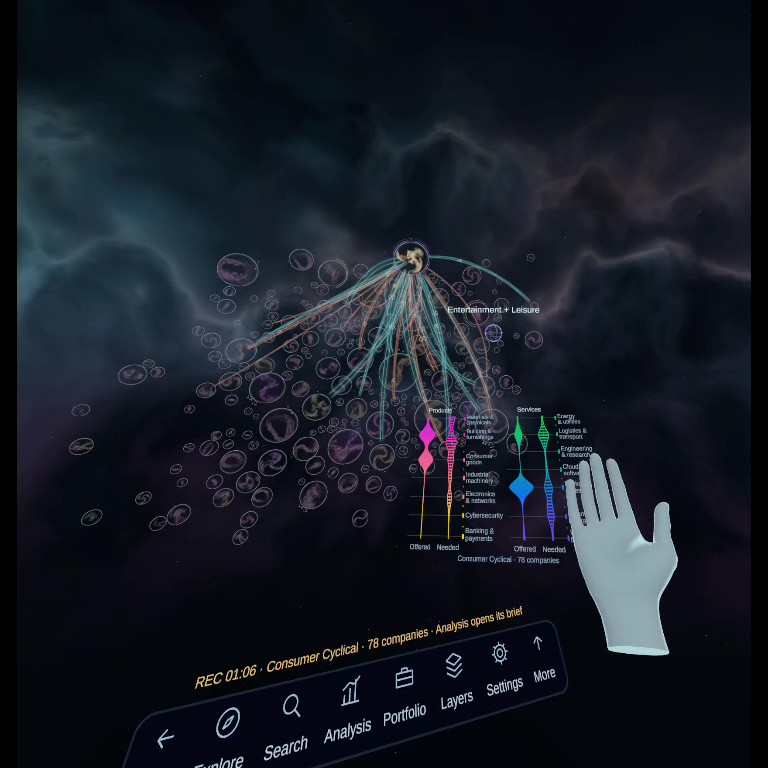
Explore 3,939 public companies as planets in a universe you shape with your hands. A seated research tool for Meta Quest.
Hands only, no controllers needed
Play seated
Meta Quest
Latest walkthrough, recorded inside the headset with hands only. No sound.
Try it in a minute
- Sit down and put the controllers aside.
- Open MarketScout. While the universe loads, a guide shows each gesture.
- When it says “Please clap your hands together”, clap once. Then spread your hands to unfold the universe.
- Look at a galaxy, turn your right palm up and curl your fingers. The ring around the cursor fills as you curl, and the galaxy is selected.
- Clap and spread your hands to bring that galaxy close.
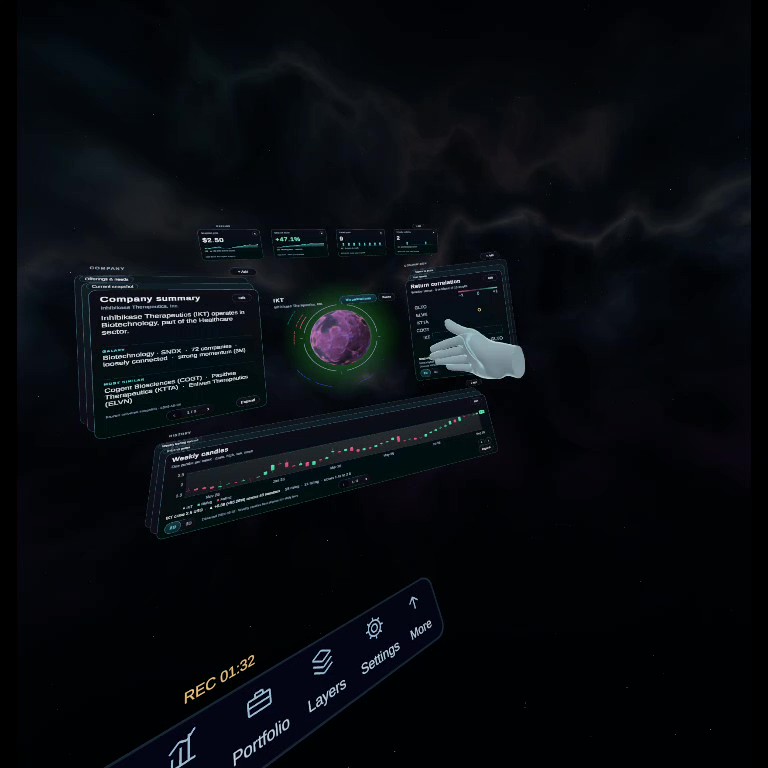
- Touch a planet with your fingertip to open that company’s dashboards. Sweep your hand to the left over a card to turn it.
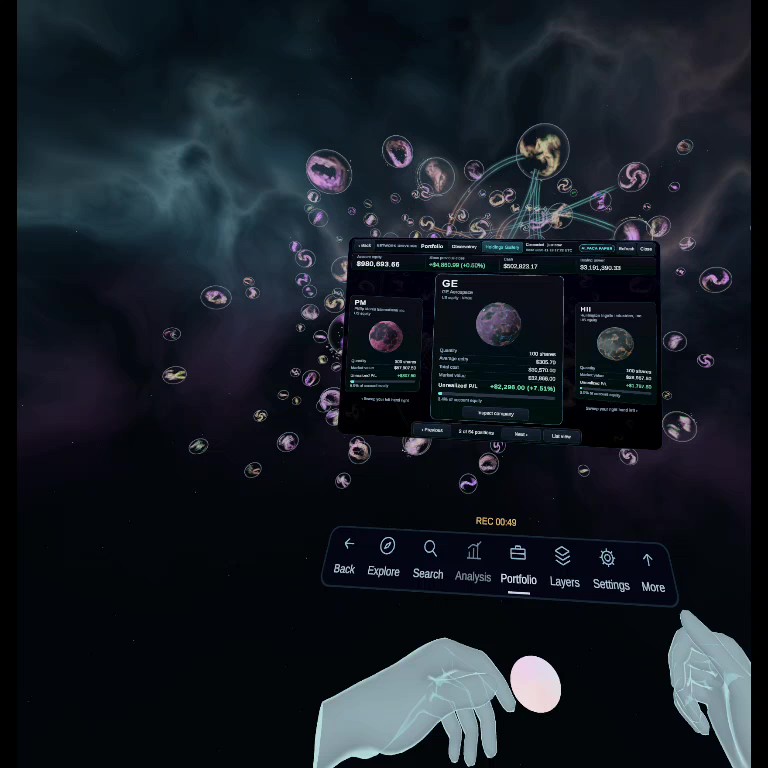
- Turn your left palm up and curl your fingers to go back. Look down to the ribbon for Search, Analysis and Portfolio.
Hand controls
| Do this | To |
|---|---|
| Clap once | Take hold of the universe, or of the selected galaxy |
| Spread or squeeze both hands | Zoom in or out |
| Swing or roll both hands | Rotate |
| Close a hand, or drop your hands | Let go. The view stays where you left it |
| Look at something, then curl your right palm | Select it |
| Touch a planet with your fingertip | Select that company |
| Curl your left palm | Go back |
| Sweep a hand left over a dashboard | Turn to the next card |
| Tap a ribbon key with your fingertip | Back, Explore, Search, Analysis, Portfolio, Layers, Settings, More |
| Hold the Meta button | Bring the scene back in front of you |
Controllers also work, but nothing in the app needs them.
What you’re looking at
How it’s built
- Made in Unity 6 for Meta Quest, using hand tracking.
- The universe is a fixed snapshot of 3,939 companies in 239 galaxies, built into the app.
- Each planet’s land, oceans, mountains and trenches come from the company’s financial filings with the SEC (10-K and 10-Q).
- The Portfolio reads a live Alpaca paper-trading account over Wi-Fi. It is read-only.
- The workspace sits in front of you, so you never need to stand or turn around.
- The ambient music is original. Visuals use Space Graphics Planets, Shapes and All In 1 VFX from the Unity Asset Store.